Pi-hole Manager
Monitor and control your Pi-hole instances from the browser
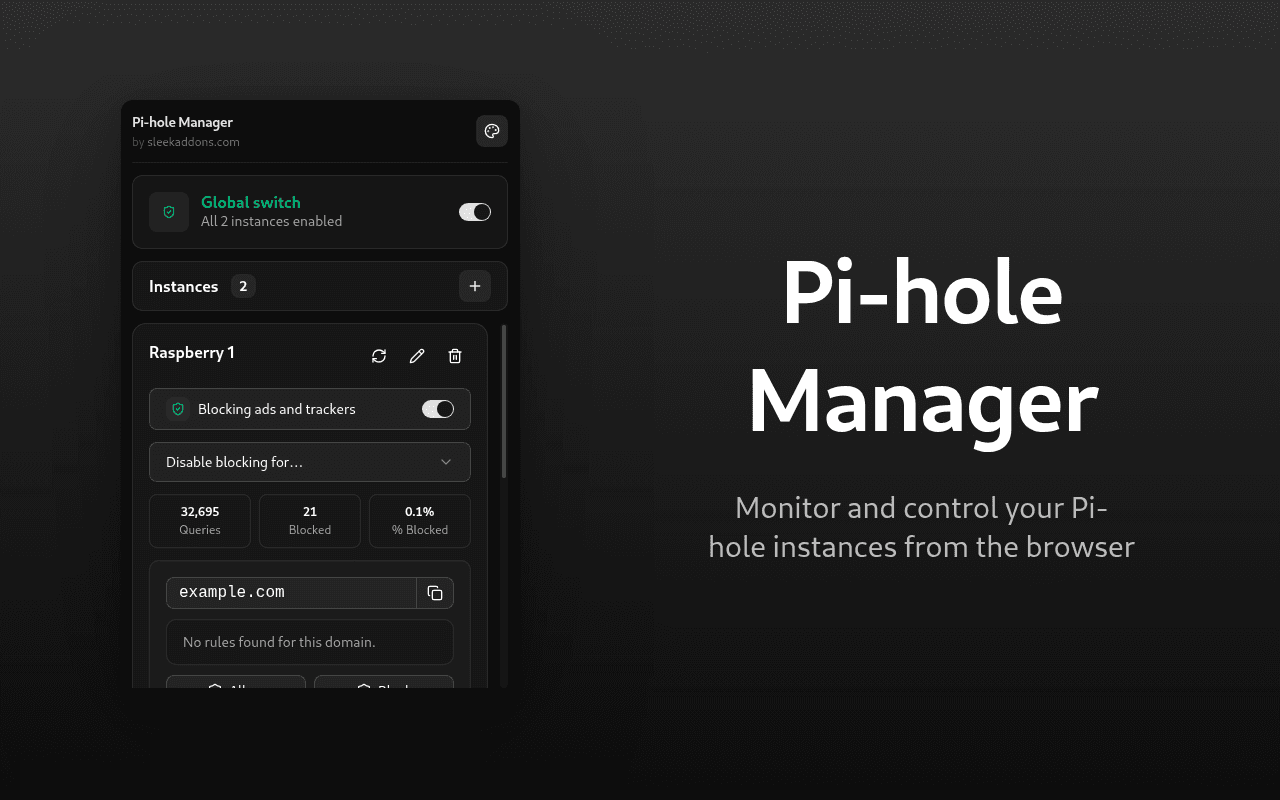
Monitor and control your Pi-hole 6+ instances directly from the browser. View stats, toggle blocking, and manage your allow and deny lists without opening the Pi-hole dashboard.
How it works
Add your Pi-hole servers by entering their URL and API password. The extension stores your credentials in local browser storage and connects to each instance. Open the popup to see stats and controls for all your servers at a glance.
Features
- Connect to one or more Pi-hole 6+ instances with URL and API password
- View total queries, blocked queries, block percentage, blocklist domains, and active clients
- Enable or disable blocking with a single toggle
- Temporarily disable blocking for 10 seconds, 30 seconds, 5 minutes, or indefinitely with a live countdown
- Check the current site against your allow list, deny list, or gravity blocklist
- Add or remove the current site from the allow or deny list with one click
- Each instance gets its own status card with independent stats and controls
- Auto refresh after a temporary disable timer expires
Who is this for
Pi-hole users who want quick access to their blocking controls without opening a separate dashboard. Useful when you need to temporarily disable blocking for a site or check if a domain is on your lists.
Why install it
Lightweight popup with no background processes. No data collection, everything stays on your device.